
 Finding the best laptop for graphic design can be a pretty daunting task. There are so many great options to choose from. Where do you begin?
Graphic designing has become quite common these days due to the expanding need for IT related work.
It is a demanding job that requires not just a creative mind, but also people who perform the work need special laptops with features that cater specifically to graphic designing.
The best laptop for graphic design should consist of a powerful and fast processor because that will play the major part. Equally important is a graphics card, but that is reserved mostly for those who word on 3D graphic designing.
High resolution and high RAM are equally important as well. Before that, however, it is necessary that you know exactly what your field is and which type of graphic designing are you most likely to perform.
This short review will surely come in handy if you want to go through the most viable laptop options for graphic design that are there in the market.
Note that these laptops are different from programming laptops or development laptops.
Contents
Best Laptop for Graphic Design
Let us now have a look at what we have in store for the best laptop for graphic design. Some of these laptops are quite expensive; whereas others are suitable for those with a tight budget.
Premium Laptop for Designers
The following three are the default option for graphic designers. They are the signature machines representing their respective operating system. They are highly optimized and packed with the latest hardware.
Apple Mac Book Pro MLW72LL/A Laptop – The Best Display

Never does the quality of the display play a more important role than in the filed of Graphic Designing. In most cases, you can settle for an average display, but no in this case.
Apple Mac Book Pro has the best display. This is a proven fact. If you are looking for a screen in a laptop that covers 100% of sRGB, and around 80% of Adobe RGB then this is the one to have.
In terms of display and colors, this laptop is #1 in our list.
Therefore, simply because of the screen this is hands down of the best laptop for graphic design. Furthermore, there is no denying that Apple makes one of the most reliable and performance-grade laptops in the market.
You can get several version of Apple Macbook Pro, this particular one offers quad-core Intel i7 processor with turbo boost up to 3.5 GHz. The processor is super fast and allows the user carry out multiple tasks at one time. It overcomes the issue of programs getting stuck in between or freezing.
Moving on, connectivity of any laptop is very important as it determines how easily people will be able to extend the connection to other devices.
This laptop has all the essential connectivity ports along with four thunderbolt type C USB ports.
Pros
- The best screen in terms of colors and quality
- Stylish and elegant
- Reliable performance
Cons
- Expensive
- Does not offer dedicated graphics card
- The capacity of RAM is lacking
Microsoft Surface Pro 4

This is yet another great laptop that offers a screen that covers almost 100% of sRGB. Although the screen is not as great as the Apple Macbook Pro, it is very close in terms of quality.
The main benefit of this laptop is that it is a 2-in-1 laptop and extremely portable. It is also much cheaper than its Apple counter part.
Surface Pro 4 is a perfect blend of portability and class. It is a lightweight laptop with plenty of features which makes it versatile as well. It is only 0.3 inches at its thickest and weighs a feather light 1.7 pounds.
It is available in several configuration. This particular model offers a low voltage Intel Core i7 processor.
The display is 12.3 inch and has a striking resolution that makes sure images are shown clear and bright. With 267 Pixels Per Inch and a resolution of 2736 x 1824, this machine has one of the sharpest screens in the market.
To add another dimension to your work, this tablet/ laptop for graphic design also has a stylus.
It further offers a 9-hour long battery life on continuous video playback, which is worth appreciation.
Pros
- Tablet and Laptop functionality
- Very sharp touch display with stylus.
Cons
- Expensive than average windows laptops (cheaper than MAC)
- Screen may be too small for many graphic designers.
Microsoft Surface Book
Similar to the Surface Pro 4 in terms of reliability and quality, the Microsoft Surface Book offers a larger screen with more resolution, more RAM for the price, a longer battery life, and even a dedicated GTX 965 in select models.
The top end model, the one that has the dedicated graphics card is supremely expensive (around $3,000). Therefore we would not recommend this if your primary work is working with 3D art or simulations.
However, for a casual graphic designer, you should be able to find a great suitable variant.
The device is really thin and thus makes it easy to carry it around in your bag pack or hands. An interesting feature of this laptop is the compatibility with the surface pen that allows the user to use the screen as a drawing pad.
This also a convertible laptop. So you can detach the screen from the base the keyboard to use it as a tablet.
Two interesting applications in the laptop are Cortana and Smile log in. Smile log in lets the user to log into their account with smile recognition. Cortana is similar to Siri on iPhone and learns about user preferences over time.
The security system is also well designed to give maximum protection.
Pros
- Convertible design for versatile functions.
- A top of the line beautiful display and a solid build quality
- High-end performance, excellent for professional use
- Stylus pen adds another dimension to how you use the laptop
Cons
- For a windows laptop, some configurations can get very expensive
- No USB Type-C Port
- Lacks the 7th generation Kaby Lake processors

Best Value Laptop for Graphic Design
Not all of us can afford the premium laptops above. In fact, if you do the math, the premium laptops by Apple and Microsoft seem to be charging a lot more for every little.
Let us now have a look at some of the high-performance laptop for designers. Some of the hardware of these best laptop for graphic design maybe a bit overkill.
These are our recommended laptops.
Acer Aspire VX VX5-591G-75RM – Highly Recommended Performance Laptop
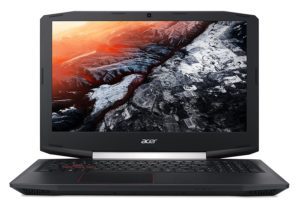
First up we have this gaming laptop. If you can ignore the fancy looks of this laptop, you will realize that this is a beast of a machine. The hardware of this laptop is worthy of doing comprehensive projects.
you can do all sorts of 3D, CAD, complex graphics designing etc easily with this laptop.
The best part is, it is available at a fraction of what the premium laptops above would cost.
Although it has an amazing core hardware, the screen is not the best there is. It only manages to offer FHD resolution and does not have touch features.
Nevertheless, if you are looking for sheer performance at a very reasonable price, this is the laptop to go for.
Pros
- Offers the latest generation Quad Core processor
- A large RAM and latest NVIDIA graphics card
- Offered at a very reasonable price
Cons
- Does not offer 4K resolution
- Storage is fast but lacking in capacity (can be upgraded)
ASUS ZenBook Pro UX501VW-US – Premium Ultrabook with Dedicated Graphics Card, 4K Display.
You have seen the premium laptops for graphic designing above. However, I don’t think they can come close to this Ultrabook.
It has everything a graphic designer could dream of. It is light and thin, has a large 15.6 inch touch screen with 4K display (that is 3840 x 2160 resolution, it offer 16 GB of RAM, it has the Quad Core Intel Core i7-6700HQ processor (not the slow dual core i7 processor found in Microsoft Surface Pro and Surface Book), AND it even manages to fit an NVIDIA GTX 960M graphics.
Granted this is not the thinnest or the lightest laptop out there, but for pure performance, this is the best premium grade laptop for graphic design.
In terms of price, it is expensive than conventional laptop but not nearly as expensive as the Apple Macbook Pro or the Microsoft Surface Pro and Microsft Surface Book.
Pros
- One of the most powerful Ulrabook for programming
- Powerful Quad Core (8 threads) processor
- Includes a fairly powerful NVIDIA Graphics card making this laptop suitable for programming with graphics.
- 4K display
Cons
- Larger and thicker than a standard Ultrabook
- Not the most portable machine

ASUS ZenBook UX330UA-AH5Q – Thin, Light, Premium, Affordable, QHD+
This is yet another masterpiece laptop by ASUS. It is highly affordable available at less than $800 yet this premium laptop manages to offer so much.
For starters, this 13.3 inch laptop offers a whopping QHD+ resolution. A high resolution is in great demand by graphic designers. Secondly, it measures at only 0.5 inches at max in thickness
It does not offer the mot powerful processor, but the Core i5-7200U should suffice for most graphic designing tasks.
If you are looking for an affordable premium ultrabook that is highly portable, then you are in luck with this machine.
su_note note_color=”#c2cdd2″ text_color=”#000000″]Specs at a glance: 13.3″ QH+ 3200×1800, Intel i5-7200U, Integrated graphics, 8 GB DDR3 RAM, 256GB SSD, 2.6 lbs, 0.5 inch thick, 9 – 11 hrs battery[/su_note]
Pros
- QHD+ resolution is a huge plus for this mid range ultrabook
- 0.5 inches thick and 2.6 lbs makes this lightest and thinnest laptop
- An ample 256 GB of SSD
- Latest generation Core i5 processor
Cons
- Lacking in graphics power

Acer Aspire E 15 E5-575G-53VG – Affordable Laptop with a Dedicated Graphics Card
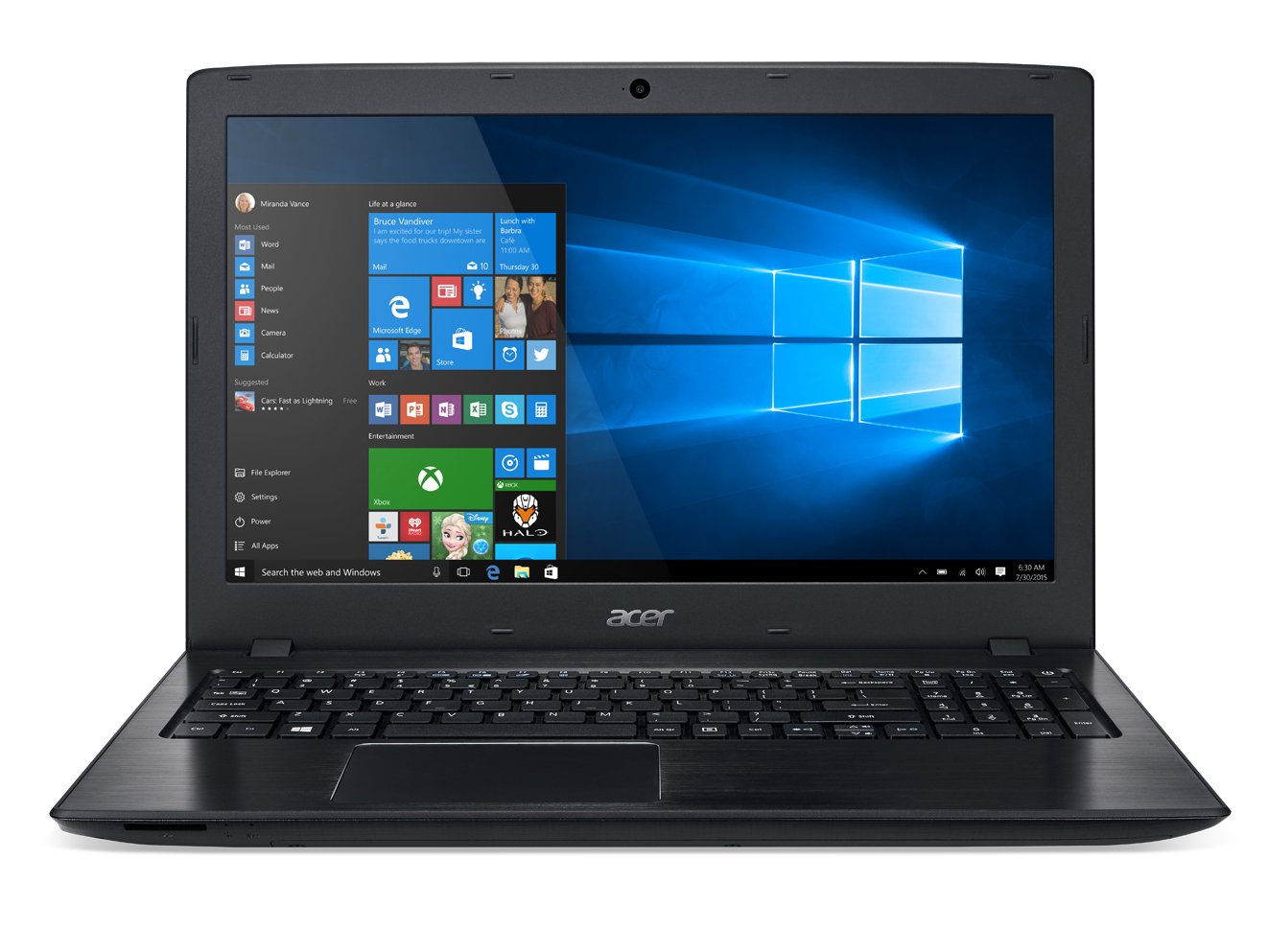
If you are on a a tight budget but having a dedicated graphics card is a must for you, then this is the machine that I would recommend.
It does not have a the best of the dedicated graphics card, but it should suffice more novice levels of graphics designing that required VGA power.
Again, it does not offer a superior quality display but what else can you expect from a budget laptop?
It offers a solid 8 GB of RAM and large 256 GB SSD along with a decent mid-end i5 processor. To top it all up, it includes a dedicated NVIDIA Geforce 940MX
Pros
- Perfect all rounder laptop suitable for all tasks.
- Offers a dedicated graphics card making it suitable for light gaming and game development
- Includes USB Type-C port
Cons
- Larger and heavier than standard laptops of this price category
- The processor is a generation older
- The 256 GB storage could be found lacking. Therefore, you may need to invest in an external HDD.
What About Chromebooks?
Chromebooks are gaining more and more momentum in recent days and for good reasons. Chromebooks are basically laptops by Google that function entirely via the Cloud (internet).
They utilize the power of the cloud in order to perform all the tasks that you would do normally on a laptop. For this reasons, they do not need to boast a powerful hardware within themselves.
As a result, they are much cheaper, thinner and tend to boast a long battery life. Chromebooks have several accessories that you can get as well.
How would you Design on Chromebook?
Since you cannot install software on Chromebook, you have to use browser or cloud based software as a service.
You do not have Photoshop, but you can get Pixlr instead. To code you would use online IDEs like Cloud9. Similarly, you have several different apps that you can use instead on the cloud. This does mean that you should have internet connectivity.
Of course, there are many more questions that one would ask before getting a Chromebook like are they good for college? what about gaming? and how do you print from a Chromebook?
The Hardware for the Laptop for Designers
Mostly any laptop that features a processor better than Intel Atom and Celeron processor would do the job. In reality, it depends on what your budget is and what kind of graphic designing you do. A good graphic designer would know if the laptop is bottlenecking his/her performance.
If you feel like your notebook lags when you are designing, then you probably need to invest in a better laptop. Best laptop for graphic designing do not necessarily have to be the top of the line laptops. They just need to have the right hardware for the task.
Many tend to believe that you need a very powerful graphics card to design. While that is true for 3D designing, for 2D designing, the integrated graphics card would do just fine.
Mac Vs Windows Vs Linux
This is a critical choice. The operating system essentially defines the environment that you are comfortable with. For long Mac has enjoyed the position of being the best environment for graphic designers. However, that is closing fast with Windows now.
Linux, on the other hand, is not an operating system that is preferred by graphic designers. It is an operating system that coders and software developers use.